
PLAN4BETTER · PYQGIS
From a database layer to a finished map.
A connected QGIS workflow I developed: add a shared basemap and layout, apply the correct database style to the project layer, then export the finished map with its note embedded as PNG metadata.
01 / LAYOUT TOOLS
Add the shared basemap into the QGIS project.
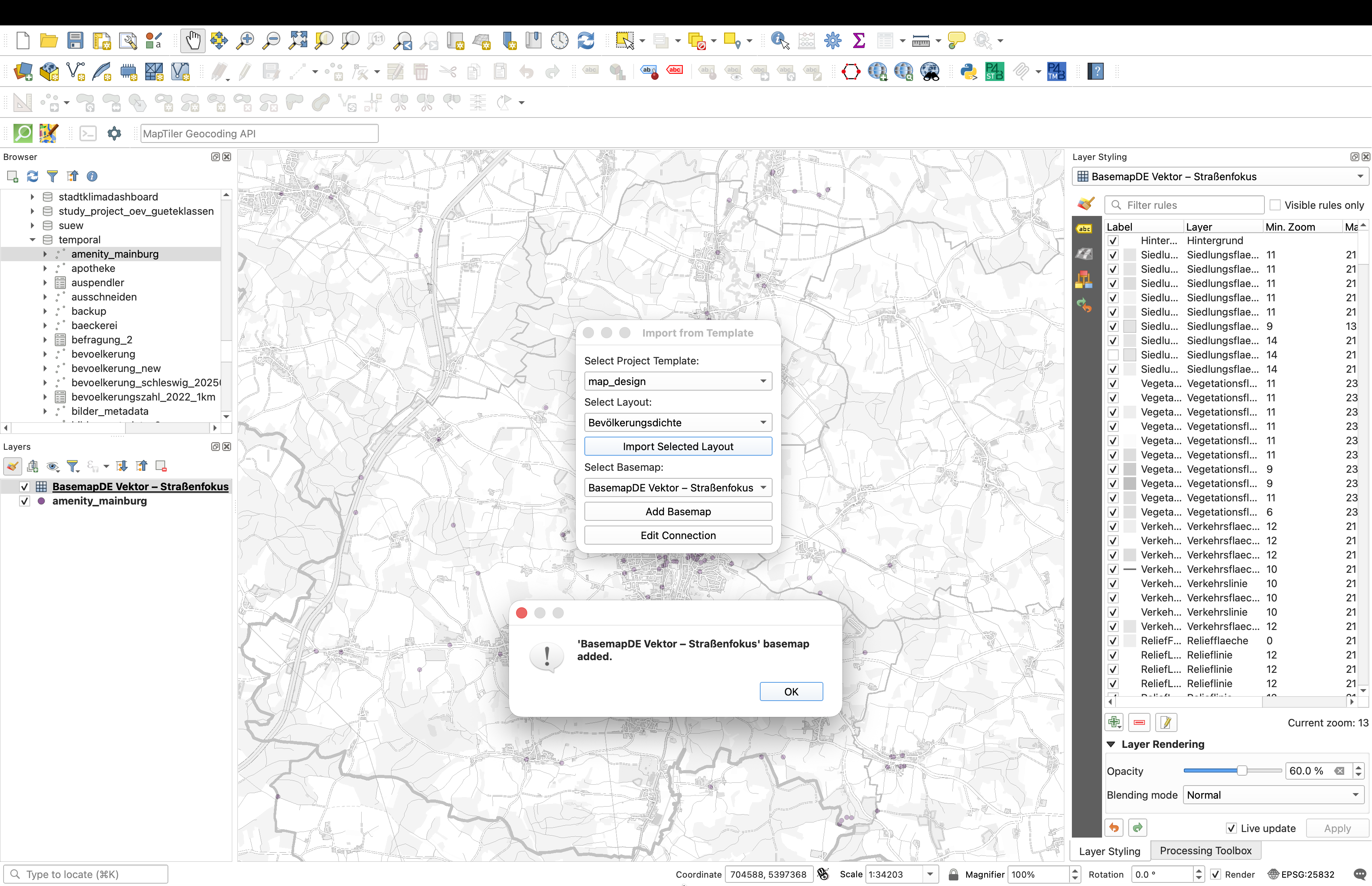
The project already contains the database layer amenity_mainburg. I use Layout Tools to add BasemapDE Vektor – Straßenfokus from the shared project template. The full QGIS layer panel is visible: the new basemap appears below the database layer.
02 / P4B STYLING
Apply the correct database style and rename the layer.
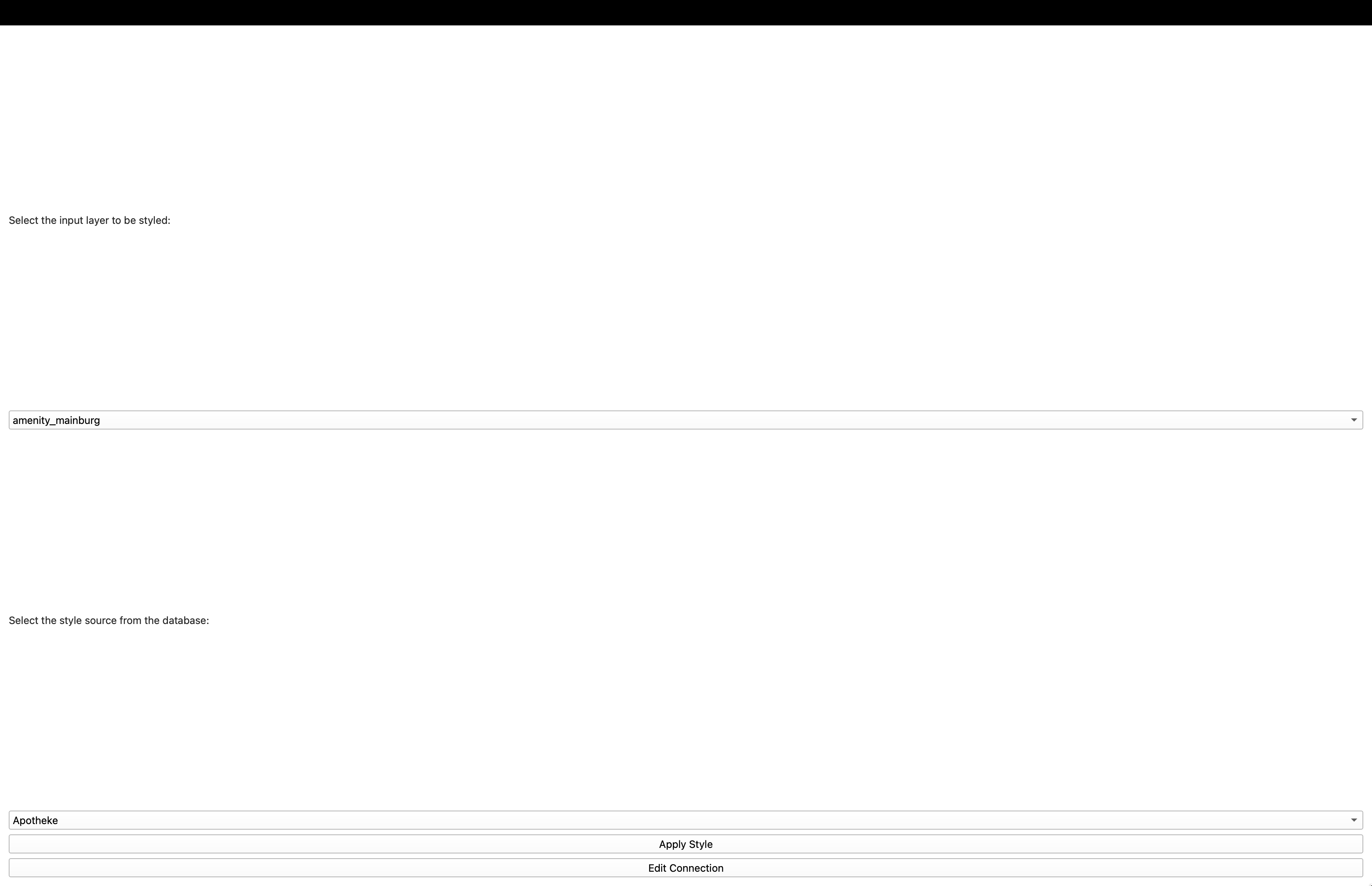
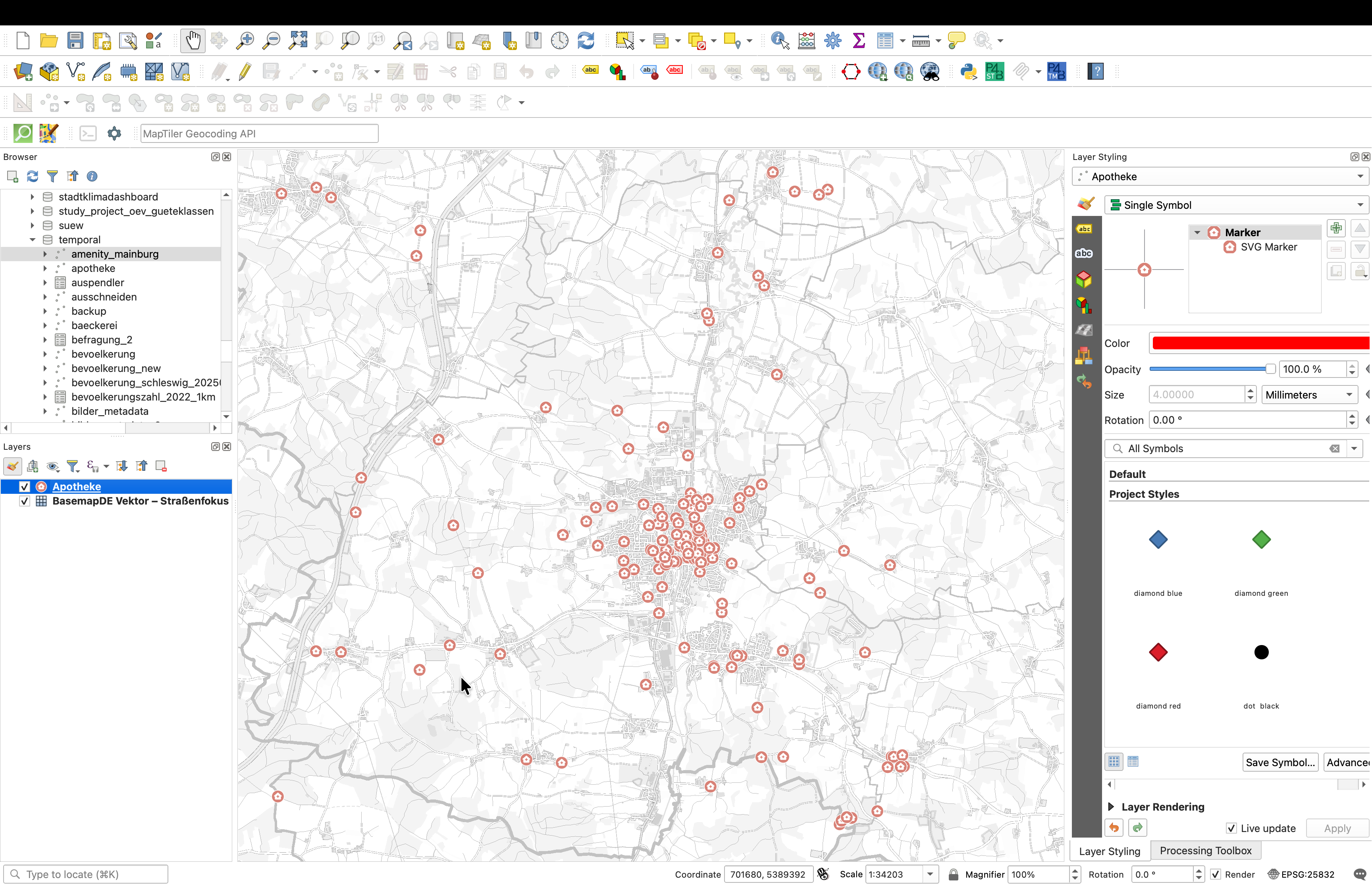
With the layer and basemap in place, P4B Styling reads the active vector layer and lists only compatible styles from PostgreSQL. Here the input is amenity_mainburg and the selected point style is Apotheke. Applying it changes the map symbols and sets the display name to Apotheke.
What the code does
It loads QML definitions from PostgreSQL, filters the style list by QGIS geometry type, writes the selected QML to a temporary file, calls loadNamedStyle(), refreshes the canvas and renames the layer. The underlying features and attributes are unchanged.
03 / LAYOUT TOOLS
Open the imported print layout.
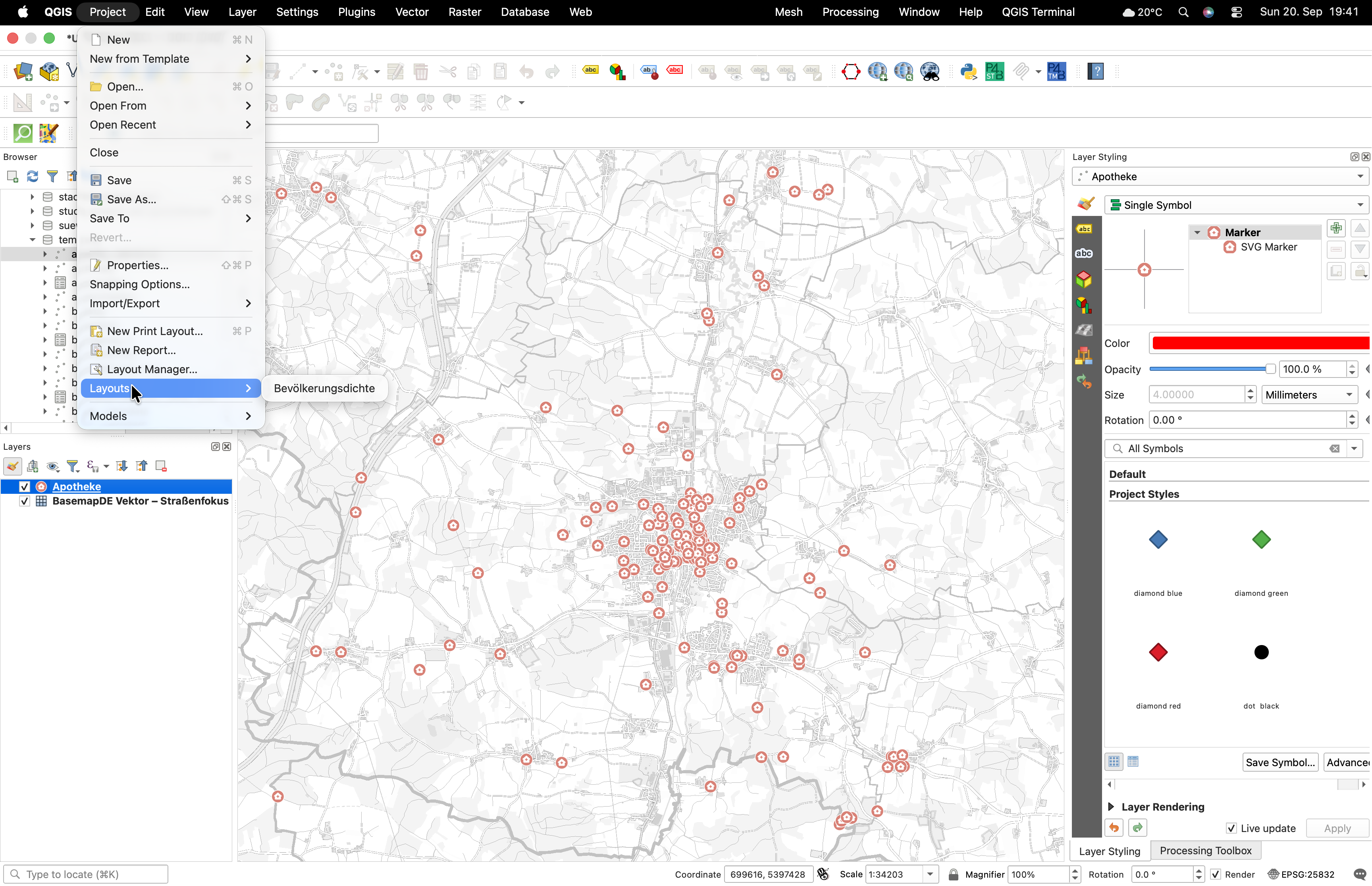
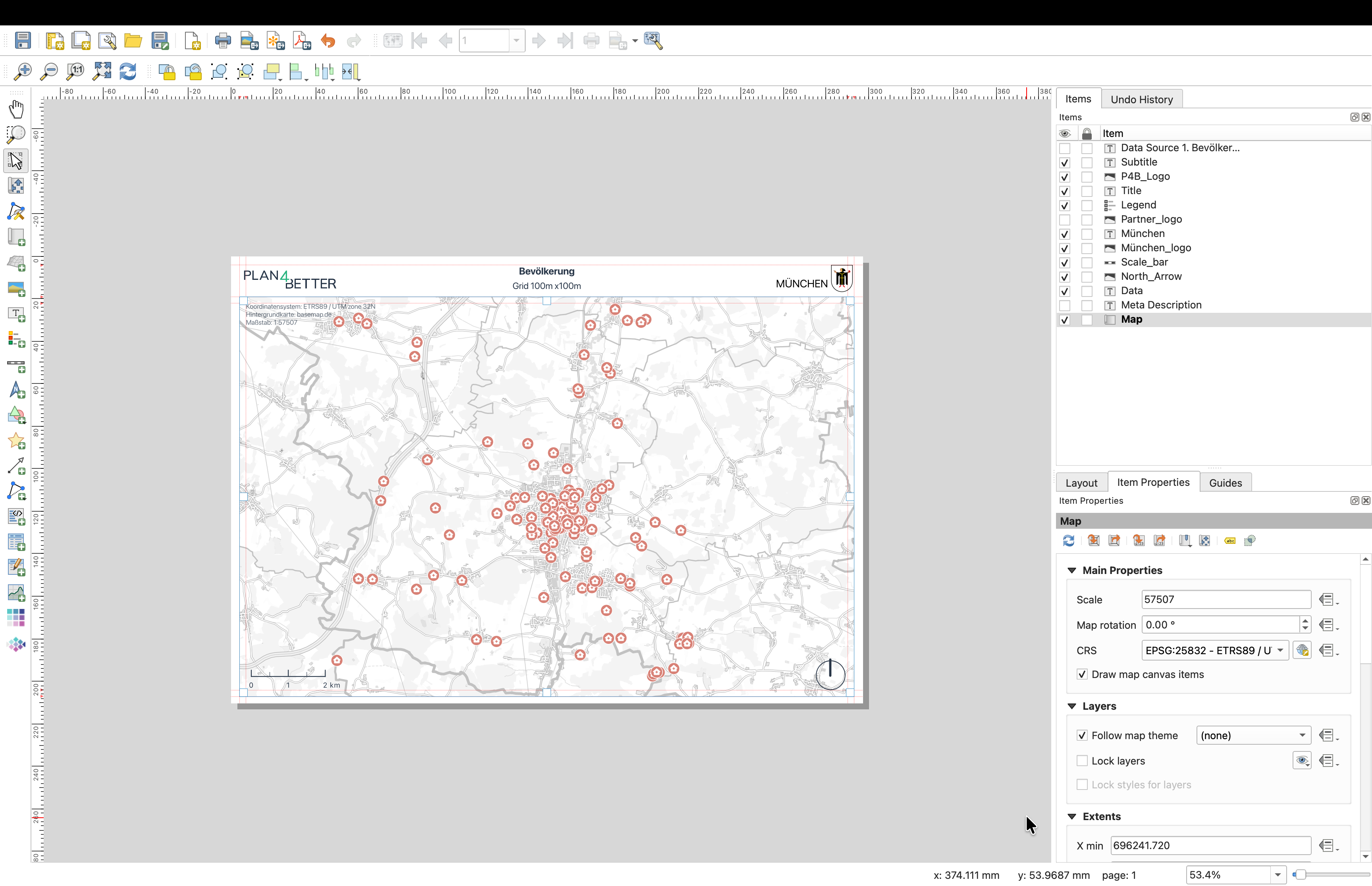
The layout selected from the shared template is registered in QGIS and becomes available through Project → Layouts. Opening Bevölkerungsdichte brings the template into the Layout Manager, including its map frame, title, legend, logos, scale bar, north arrow and metadata fields.
04 / EXPORT WITH METADATA
Export the map and keep its note attached.
The export tool selects one or more QGIS print layouts, renders each one at 300 dpi and saves it as a PNG. It reads the layout item named Description, cleans its line breaks and stores that note in the PNG metadata together with an author field.
This prepares the output for a later workflow: the map image and its note can be extracted together and given to an LLM as context. The plugin itself does not call an LLM.
RESULT
A repeatable map-production workflow inside QGIS.
Layout Tools brings standardised basemaps and layouts into the project. P4B Styling makes the project layer readable and consistently named. The exporter preserves the map note with the final image. My employer reference confirms internal use of the styling and layout plugins and faster, more consistent map production.
Python · PyQGIS · Qt · PostgreSQL · QML · XML · Pillow