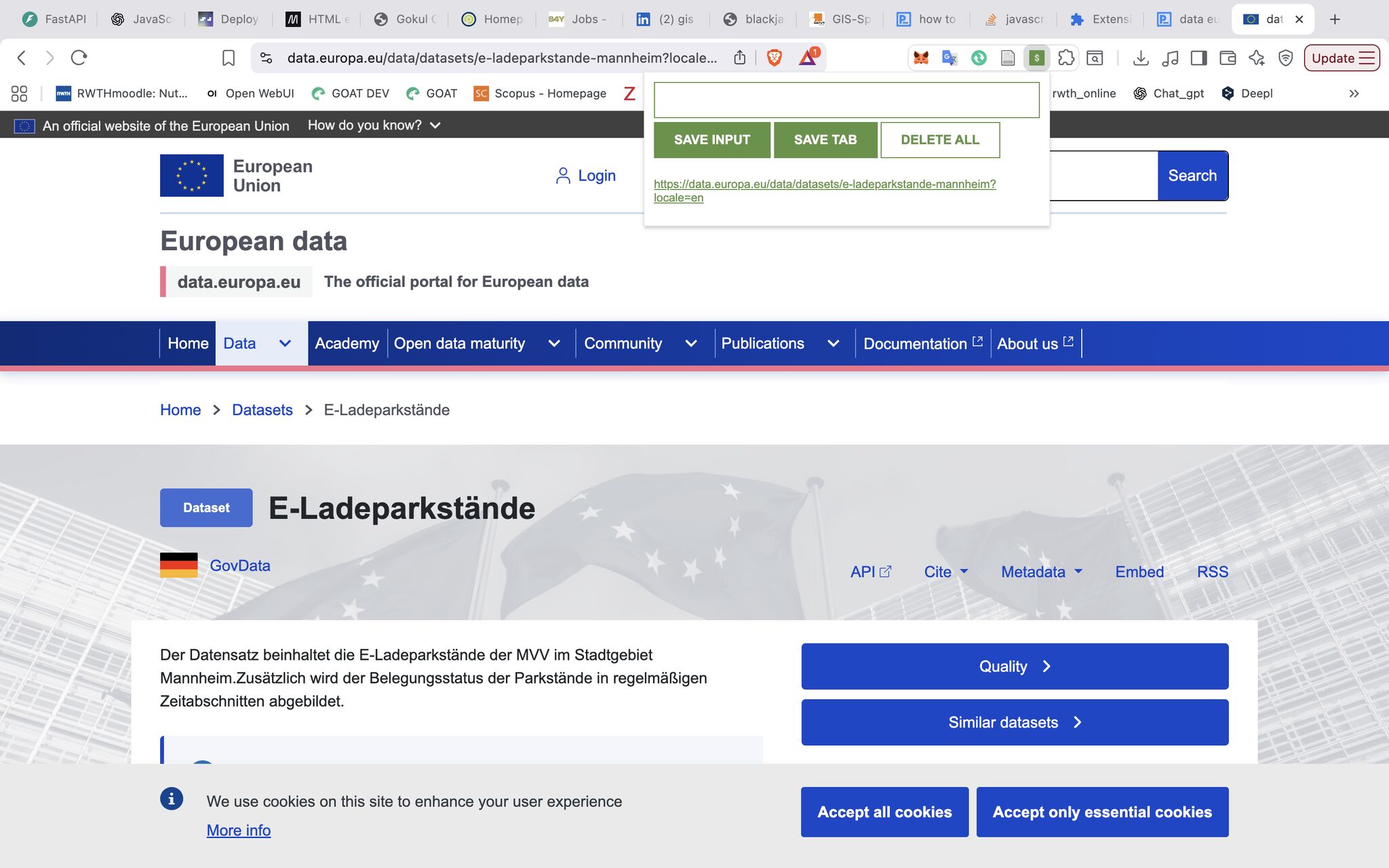
Overview
A Chrome extension built to save and organise useful dataset URLs while researching European open datasets. The project was developed as part of learning JavaScript through Scrimba, combining coursework with a practical, real-world use case — building in public while learning.
Motivation
While exploring European open data sources for GIS and spatial analysis work, managing dozens of useful dataset URLs across tabs became cumbersome. The Leads Tracker extension solves this by letting you save, view and manage URLs directly from the browser toolbar — no switching apps needed.
Workflow
Follow the process. Expand a step for the details.
01Save the Current Tab
Click the extension icon and save the active tab's URL with one click. URLs are stored in Chrome's local storage so they persist across sessions.
02Manual Input
Type or paste any URL into the input field to save links you find outside the browser — from docs, emails or notes.
03View & Delete
All saved URLs are listed as clickable links. Double-click the delete button to clear the entire list when you're done.
Technologies
- JavaScript (ES6) — core logic and DOM manipulation
- Chrome Extensions API —
chrome.tabsandchrome.storage.local - HTML & CSS — extension popup UI
- Scrimba JavaScript course — learning framework
Project Repository
The project was pushed to GitHub and deployed through Netlify, giving it both a public live demo and a source-code repository.
What I Learned
This project was my introduction to JavaScript and browser extension development. Key concepts covered: working with the Chrome Extensions API, persisting data with localStorage, event-driven programming, and building a small but fully functional browser tool from scratch.